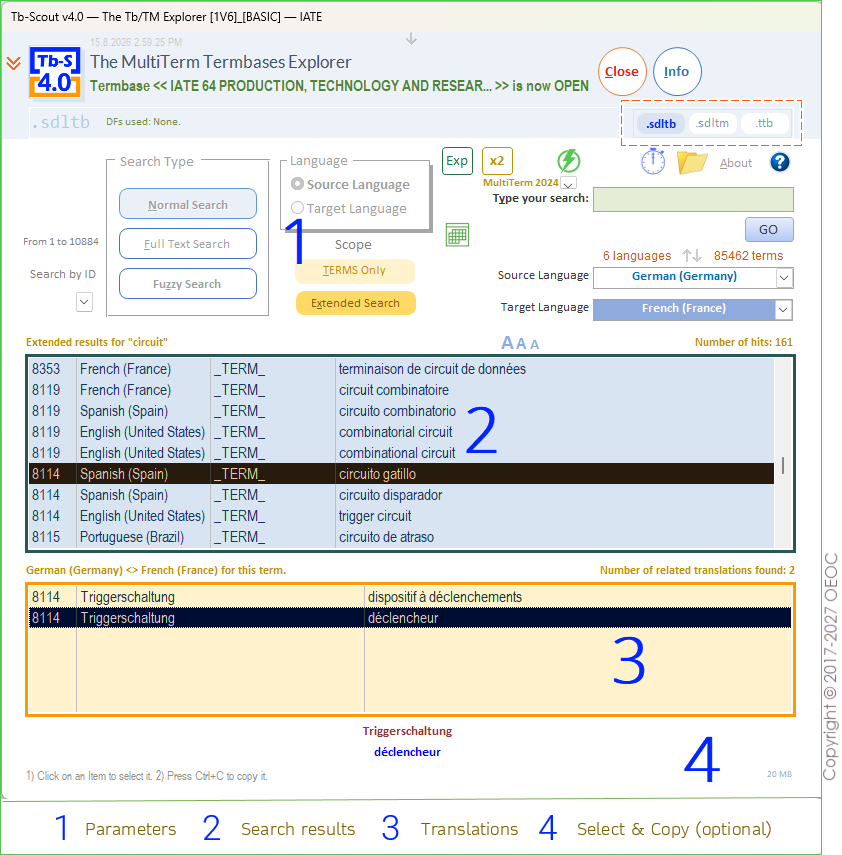
Main User Interface
Main elements of the user interface (when the application is first opened)
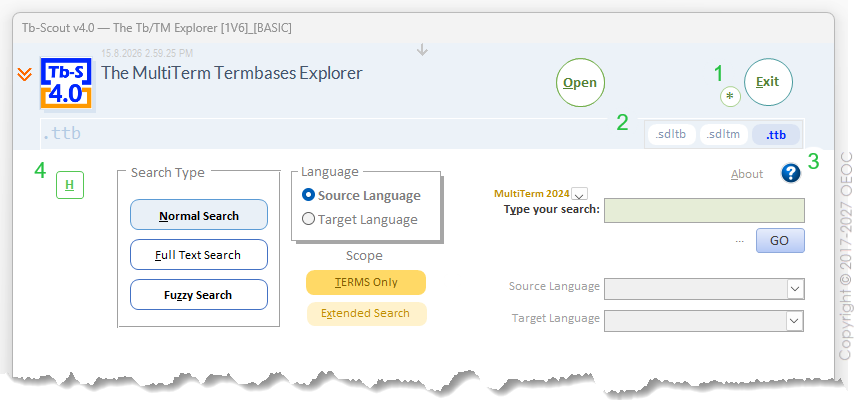
- Clear cached data for Termbases and Translation Memories
- Open either a Termbase (.sdltb) or a Translation Memory (.sdltm) or Convert a .ttb Termbase into a .sdltb Termbase
- Open the Help System (with the question mark icon)
- Open the History Module (with the H button)
Bird's eye view of the Termbases Explorer in action